How to Create Your VA.gov Account: Step-by-Step Setup Guide
Learn how to create and verify your VA.gov account in under 30 minutes. This step-by-step guide covers ID.me vs Login.gov setup, identity verification, two-factor authentication, and common troubleshooting tips to help you file and track VA claims online with confidence.
Corey London
1/7/20267 min read

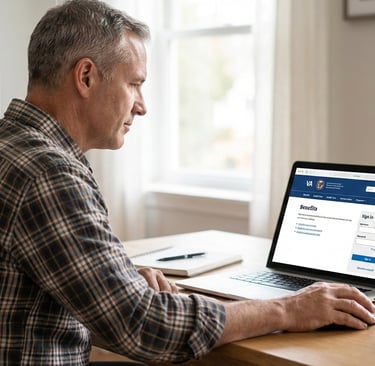
Setting up your VA.gov account is the first step to managing your VA benefits online. Whether you're filing your first disability claim, checking your payment status, or downloading benefit letters, you need a verified account to access these tools.
This guide walks you through creating your VA.gov account, verifying your identity, and setting up security features—all in plain language with no confusing jargon.
Disclaimer: This article provides educational information only and is not legal or medical advice. For personalized claim assistance, consider consulting a VSO or accredited representative.
What Is VA.gov and Why Do You Need an Account?
VA.gov is the Department of Veterans Affairs' official online portal. With a verified account, you can:
File and track disability claims without visiting a VA office
View your claim status and upload evidence in real time
Download benefit letters (award letters, proof of service, etc.)
Check your VA payment history and direct deposit information
Schedule and manage VA health appointments
Send secure messages to your VA health care team
Update your contact information and dependents
Bottom line: Your VA.gov account gives you 24/7 access to nearly every VA service you'll need.
ID.me vs Login.gov: Which Should You Choose?
When you sign in to VA.gov, you'll be asked to choose between two identity verification services:
ID.me
More widely used by veterans
Requires identity verification through selfie + government ID
Supports video call verification if automated system fails
Used by many government agencies and private companies
Official VA page: https://www.id.me/veterans-affairs
Login.gov
Newer government-only login system
Also requires identity verification with government ID
Does not use third-party services
Slightly simpler interface for some users
Help page: https://www.login.gov/help/
Which is better? Both are secure and officially supported by VA. If you already have an ID.me account (from USAA, IRS, or another agency), use that. If you prefer government-only systems with no commercial partnerships, choose Login.gov.
You cannot switch between them easily, so pick one and stick with it.
Step-by-Step: How to Create Your VA.gov Account
Step 1: Go to the VA.gov Sign-In Page
Visit the official VA sign-in page: https://www.va.gov/sign-in/
Click "Create an account" under your chosen option (ID.me or Login.gov).
Security tip: Always type the URL directly or use a trusted bookmark. Do not click links in unsolicited emails claiming to be from VA.
Step 2: Create Your ID.me or Login.gov Account
If Using ID.me:
Enter your email address and create a strong password
Confirm your email by clicking the link sent to your inbox
Enter your phone number for two-factor authentication
You'll receive a 6-digit code via text—enter it to continue
If Using Login.gov:
Enter your email address and create a strong password (minimum 12 characters recommended)
Confirm your email via the link sent to your inbox
Set up a second authentication method (text, authentication app, security key, or backup codes)
Save your backup codes in a secure location
Step 3: Verify Your Identity
This is the most important step. The VA requires identity verification before you can access sensitive information like claims or medical records.
ID.me Identity Verification:
You'll need:
A smartphone with a camera (or webcam)
A valid government-issued photo ID (driver's license, passport, or state ID)
Your Social Security number
Process:
Take a photo of the front and back of your ID
Take a selfie using your phone or webcam
ID.me's system will compare your selfie to your ID photo
If automated verification fails, you'll be offered a video call with an ID.me representative
Verification usually takes 5–15 minutes
Login.gov Identity Verification:
You'll need:
A government-issued photo ID (driver's license or state ID)
Your Social Security number
A phone number associated with your name and address
Process:
Upload photos of your ID
Enter your Social Security number and personal details
Confirm your phone number (must match your address on file)
Login.gov will verify your identity against public records
If automated verification fails, you may need to visit a post office or upload additional documents
Important: Identity verification can fail if your name or address doesn't match your ID exactly. If this happens, update your ID first or contact the verification service's support team.
Step 4: Set Up Two-Factor Authentication (MFA)
Both ID.me and Login.gov require multi-factor authentication (MFA). This means you'll enter a code from your phone every time you log in.
Why this matters: MFA protects your account from hackers, even if someone steals your password.
Your MFA options:
Text message codes (easiest, but less secure)
Authentication app codes (Google Authenticator, Authy, Microsoft Authenticator—more secure)
Security keys (physical USB or NFC devices—most secure)
Backup codes (print and store these in case you lose your phone)
Recommendation: Use an authentication app or security key if possible. Text messages can be intercepted by scammers.
Step 5: Complete Your VA.gov Profile
Once you're logged in, VA.gov will ask you to confirm or update:
Contact information (mailing address, phone, email)
Direct deposit details (for disability payments, if applicable)
Dependent information (spouse, children)
Double-check everything. Incorrect contact information can delay your claim or cause you to miss important VA correspondence.
Where to Find Key Tools in Your VA.gov Account
After setup, here's where to go for common tasks:
File a disability claim: VA.gov homepage → "File a claim for disability compensation"
Check claim status: "Track claims" under the "My VA" section
Download benefit letters: "Records" → "Download VA letters"
View payment history: "Payment history" in your profile menu
Schedule appointments: "Health care" → "Schedule and manage appointments"
Send secure messages: "My HealtheVet" → "Secure messaging"
Bookmark these pages for quick access.
Common Problems & Fixes
"I can't verify my identity."
Fix: Make sure your name and address match your ID exactly. If you recently moved or changed your name, update your ID first.
"I'm not getting the verification code."
Fix: Check your spam folder. Make sure your phone has signal and can receive texts.
Try using an authentication app instead of text messages.
"My account is locked."
Fix: Wait 24 hours and try again, or contact ID.me/Login.gov support to unlock it.
"The system says I already have an account, but I don't remember creating one."
Fix: Try the password recovery option. You may have created an account years ago.
If you're still stuck, contact VA.gov support at 1-800-698-2411 (TTY: 711).
"The website keeps crashing or timing out."
Fix: Clear your browser cache and cookies, or try a different browser (Chrome, Firefox, Edge).
VA.gov occasionally experiences high traffic—try again during off-peak hours (early morning or late evening).
Security Tips to Protect Your VA.gov Account
Your VA.gov account contains sensitive personal, financial, and medical information. Follow these security best practices:
Use a Strong, Unique Password
At least 12 characters with a mix of letters, numbers, and symbols
Never reuse passwords from other accounts
Use a password manager (like Bitwarden, 1Password, or LastPass) to generate and store passwords securely
Enable Two-Factor Authentication
Always use MFA—it's your best defense against hackers
Authentication apps are safer than text messages
Watch Out for Scams
VA will never call, text, or email asking for your login credentials
Do not click links in unsolicited emails—go directly to VA.gov
Report phishing attempts to the VA OIG at https://www.va.gov/oig/
Log Out on Shared Computers
Always log out completely if using a public or shared device
Don't save passwords in public browsers
Monitor Your Account Activity
Check your VA.gov account regularly for unauthorized changes
Review your payment history and contact information monthly
Frequently Asked Questions (FAQ)
How long does it take to set up a VA.gov account?
Most veterans complete account setup and identity verification in 15–30 minutes. If automated verification fails, it may take longer if you need to video chat with a representative or upload additional documents.
Do I need a VA.gov account to file a disability claim?
No, but it's the fastest and easiest method. You can also file by mail (VA Form 21-526EZ), in person at a VA regional office, or with help from a VSO. However, online filing lets you track your claim in real time and upload evidence instantly.
Can I use my DS Logon or My HealtheVet account?
The VA is phasing out DS Logon and My HealtheVet as sign-in options. You'll eventually need to migrate to ID.me or Login.gov. Start now to avoid disruption.
What if I don't have a smartphone?
You can verify identity using a computer with a webcam for ID.me. For Login.gov, you may need to visit a participating post office for in-person identity verification if you can't complete the process online.
Is my information safe with ID.me or Login.gov?
Yes. Both services use bank-level encryption and are approved by the federal government. ID.me is used by the IRS, SSA, and DOD. Login.gov is managed directly by the U.S. government.
Can a caregiver or spouse create an account for me?
You must create the account yourself using your own identity documents. However, once the account is set up, you can authorize a caregiver or representative to access certain information on your behalf through VA forms.
What happens if I forget my password?
Use the "Forgot password" link on the ID.me or Login.gov sign-in page. You'll need access to your registered email or phone number to reset it.
How often do I need to log in to keep my account active?
VA.gov accounts don't expire from inactivity, but it's good practice to log in every few months to keep your information current and stay familiar with the system.
How MyClaimPath Helps Veterans Navigate VA Claims
Setting up your VA.gov account is just the first step. Filing a winning disability claim requires medical evidence, nexus letters, and a clear understanding of VA regulations.
MyClaimPath gives veterans the tools and guidance to file strong claims on their own, without paying thousands to a law firm. Our platform offers:
Step-by-step claim filing guides
Medical evidence checklists
Sample nexus letter templates
Claim tracking and deadline reminders
Access to experienced claim coaches (optional)
Whether you're filing your first claim or appealing a denial, we help you take control of your VA benefits. Explore our services or check out our VA claim guides to get started.
Have questions? Contact us or visit our blog for more veteran resources.
Final Thoughts
Creating your VA.gov account takes less than 30 minutes and opens the door to faster claims, better communication with VA, and full control over your benefits. Follow the steps in this guide, secure your account with two-factor authentication, and you'll be ready to file or track your claim with confidence.
If you run into problems, don't give up—contact VA support or reach out to a VSO for help. Your benefits are worth the effort.
Contact
Helping veterans understand and prepare VA claims through ethical guidance and education.
📞 1-614-233-1952
📧 info@myclaimpath.com
© 2026 Claims Assistance for Veterans’ Entitlements (C.A.V.E.)
All rights reserved.
C.A.V.E. provides educational guidance and claim-preparation support.
We do not represent veterans before the VA and do not access VA accounts.
Important Notice